
For iPhone, iPad and Apple Watch

AlcoGrip

The no-nonsense alcohol tracker.

Log a drink in a couple of taps, see where you stand in your current session and over time, and set limits that fit you.

  • No subscription
  • No in-app purchases
  • No account
Download on the App Store (opens in a new tab)
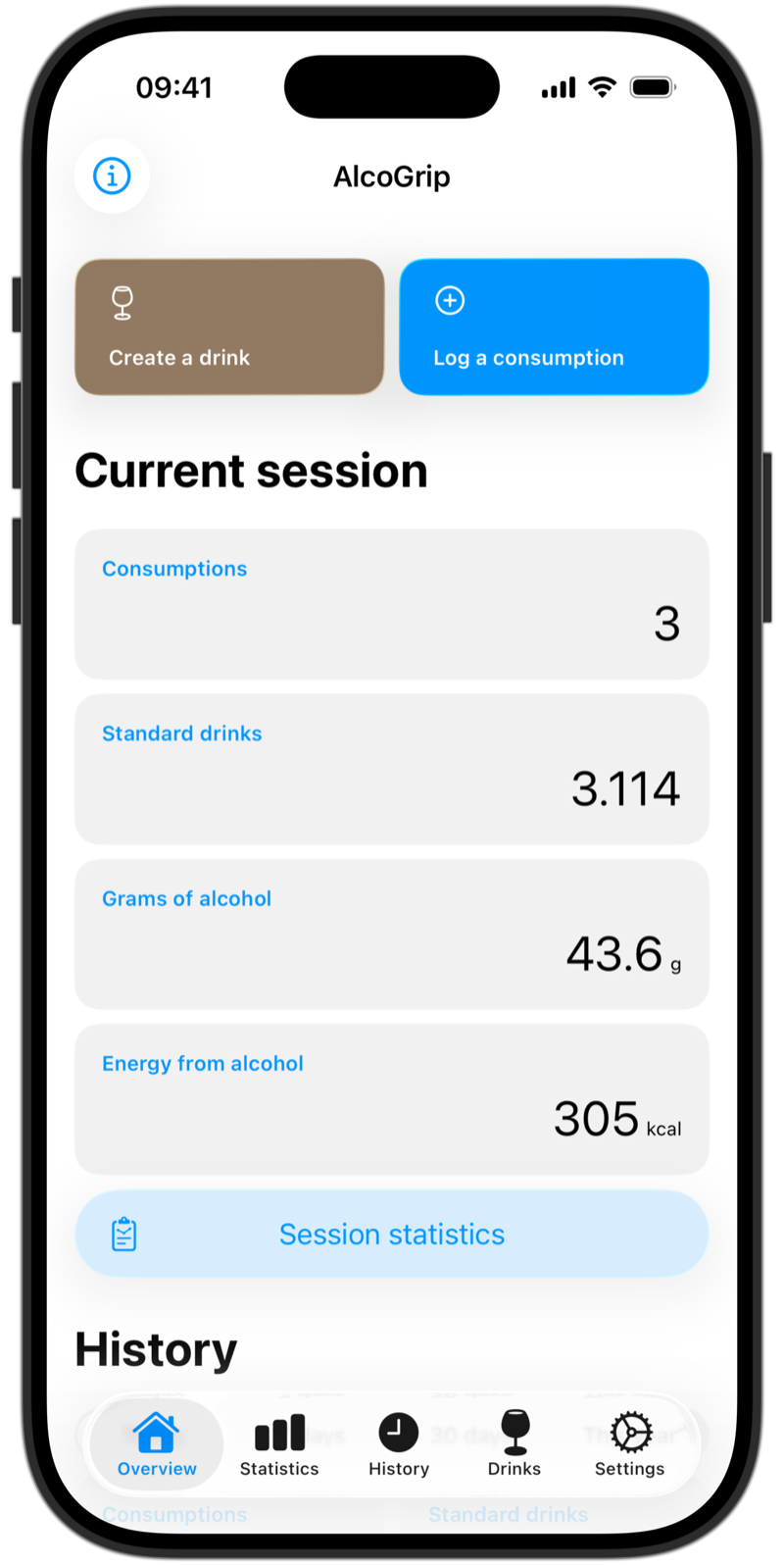
AlcoGrip overview showing the current session: 3 consumptions, 3.1 standard drinks, 43.6 grams of alcohol and 305 kcal
Why AlcoGrip

A focused tracker that gets out of your way.

No nonsense

Log a drink in a couple of taps, then see where you stand - in your current session and over time.

Yours forever

No subscription, no in-app purchases and no account. Once you've got the app, it's yours forever.

Private by design

There's no server. Your data stays on your device, and only syncs through your own iCloud if you want it to.

New in 2026.2

Scan a label. Save what you logged.

The October 2026 update makes logging a drink you haven't saved yet a lot quicker.

Logging a consumption manually, with the Scan label button and the Create a drink toggle The What's New screen for AlcoGrip 2026.2

Scan a label

Point your camera at a drink's label and AlcoGrip fills in the name, alcohol percentage and volume for you, using Apple Intelligence. The photo is processed on your device and is never stored or uploaded.

Available on iOS 26 devices with Apple Intelligence. On other devices, the option simply doesn't appear.

Create a drink from a consumption

Logged a drink manually? Turn it into a saved drink afterwards, or create one on the spot while logging.

Also in this update

  • Fresh drink icons and a more consistent look throughout the app.
  • Redesigned buttons and lists: buttons use iOS 26's Liquid Glass, and drink categories can be collapsed.
  • Edit and log again straight from a consumption in Statistics.
  • Home-screen widgets stay up to date when days pass without opening the app, and their 7- and 30-day numbers match Statistics.
Features

Everything you need to stay aware. Nothing you don't.

Logging

Log a drink in two taps

Pick one of your saved drinks, or enter one manually with its name, alcohol percentage and volume.

  • Saved drinks can be a single drink or several components - for example a cocktail made of gin, tonic and lime juice.
  • Favourite your most-used drinks and search by name. Drinks are grouped in collapsible categories.
  • Edit any logged consumption - its time, drink or notes - or swipe one in your history to log it again with the current time.
  • Log several of the same drink at once, with an optional reminder.
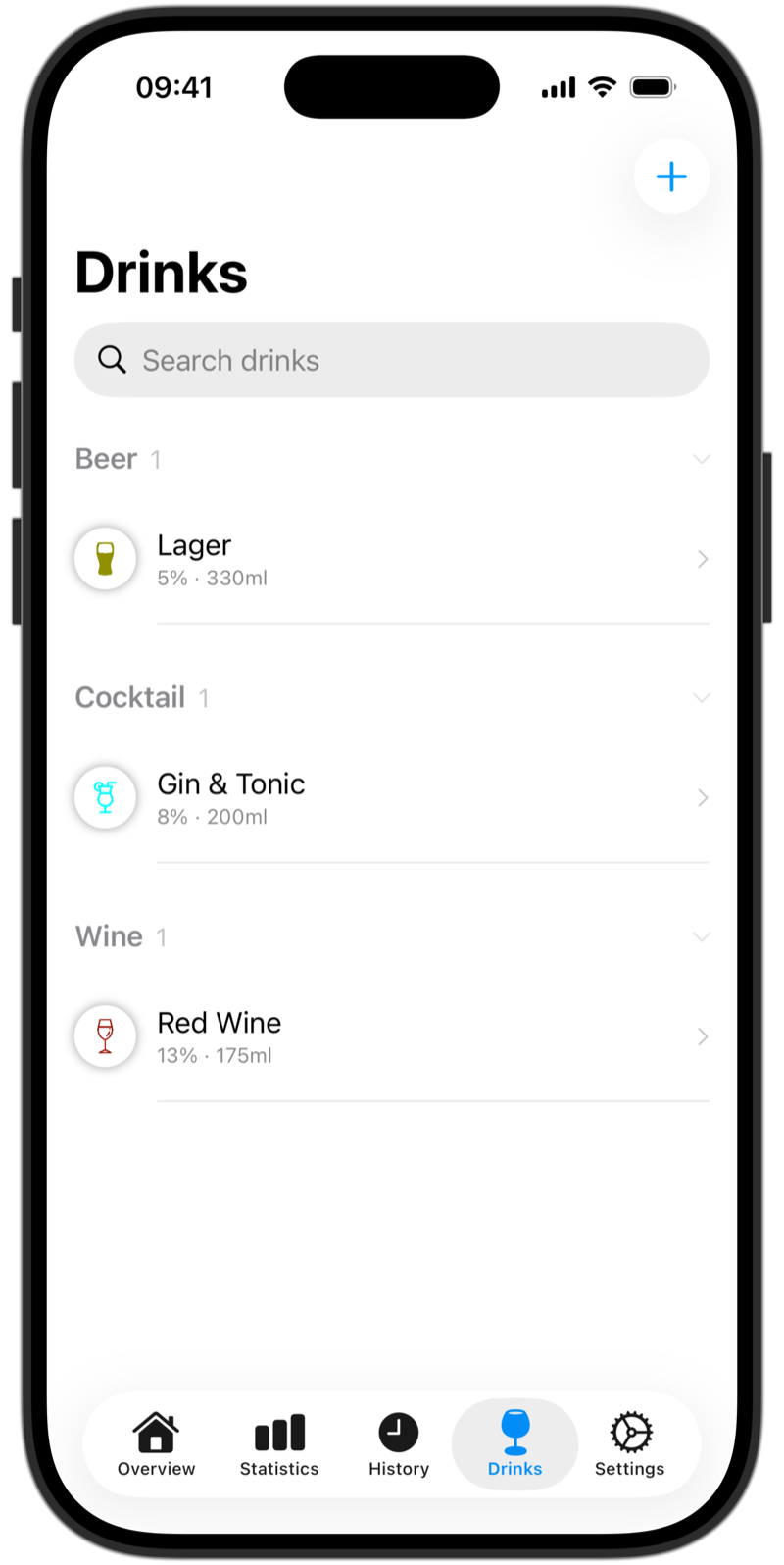
Drinks list with saved drinks grouped in collapsible categoriesA saved Gin & Tonic drink with its components
Insight

See where you stand

Drinks are grouped into sessions automatically: drinks within 5 hours of each other belong to the same session.

  • An overview of your current session: number of consumptions, standard drinks, grams of alcohol and calories (energy from alcohol).
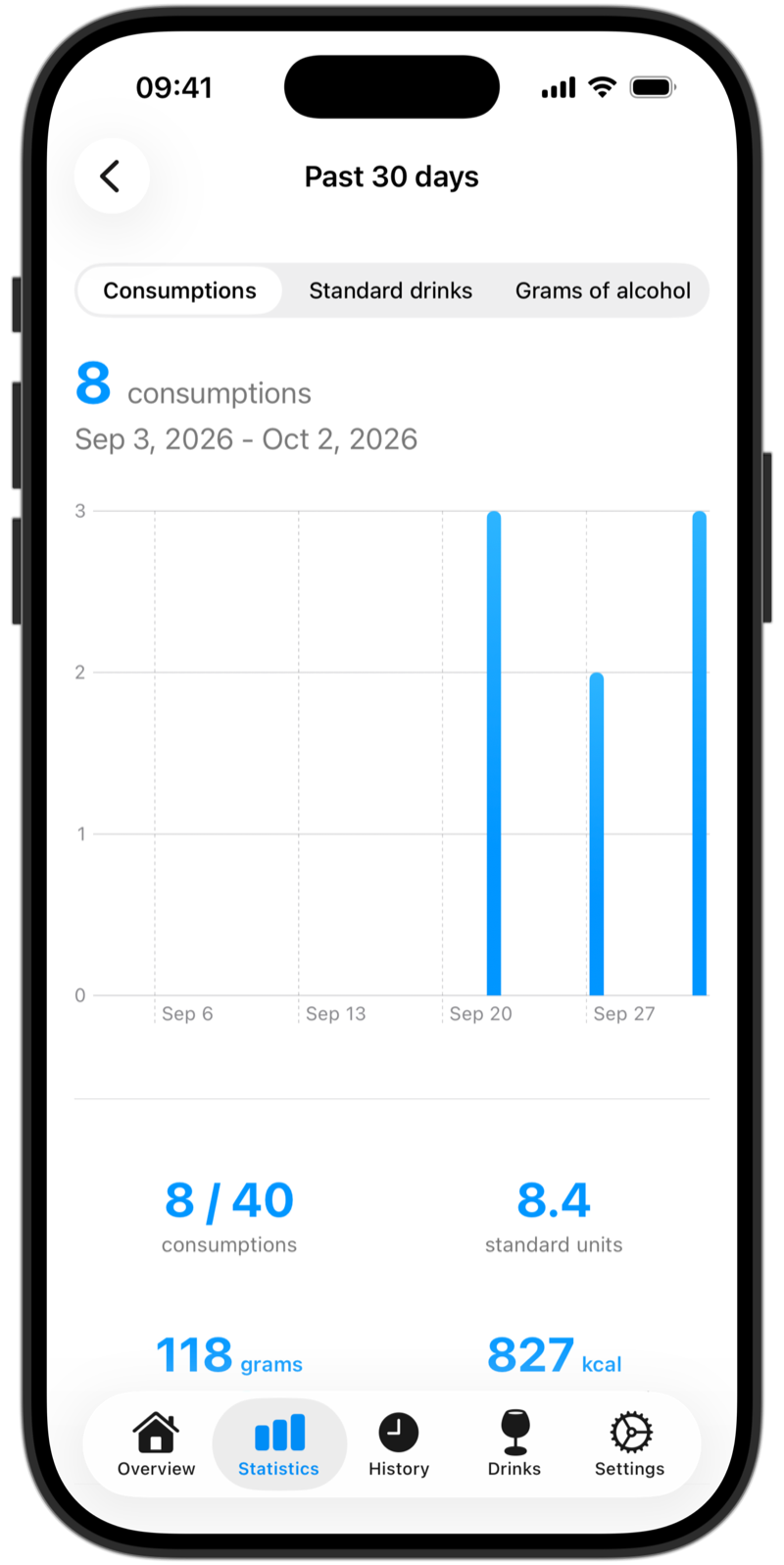
  • Statistics for the past 7 days, the past 30 days, a month, a year or any date, with charts per consumption, standard drink or gram of alcohol.
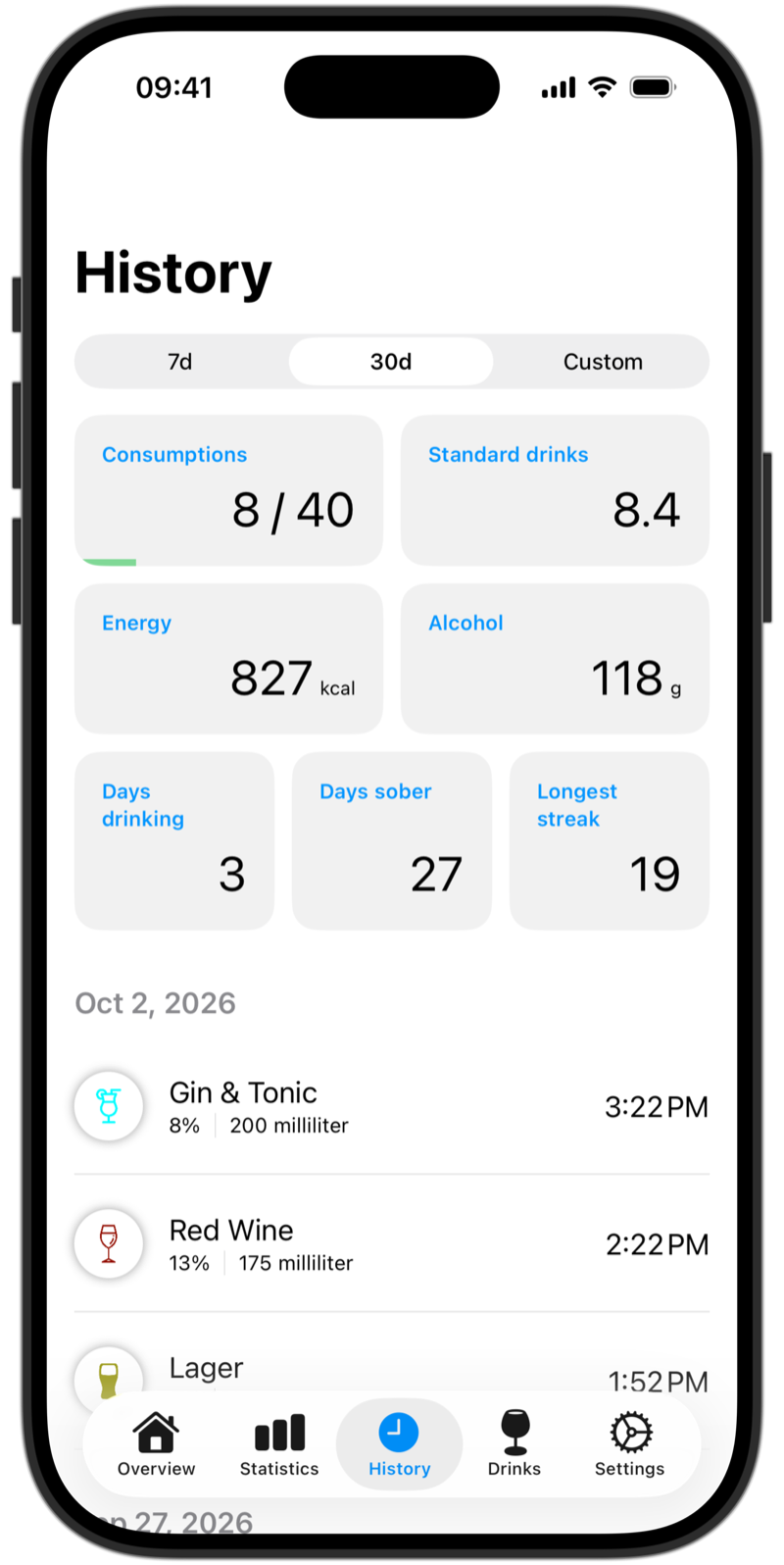
  • History with days drinking, days sober and the longest streak.
  • Standard drinks using the definitions of many countries - for example US 14 g, UK 8 g, Australia 10 g or Austria 20 g - or a custom one.
Statistics for the past 30 days: a chart with 8 of 40 consumptions and 8.4 standard drinksHistory with limit progress, days drinking, days sober, the longest streak and a list of logged drinks
Limits and reminders

Limits that fit you

Set your own limits per day, 7 days and 30 days - in consumptions, standard drinks or grams of alcohol. Your limits show up in the summary tiles.

  • Optional reminders a few minutes after a drink tell you what you logged, and let you log it again with one tap.
Limits per day, per 7 days and per 30 days
Your data, your way

Make it yours

Your logs belong to you, and the app looks the way you like.

  • Export your data as JSON or CSV. Exporting drinks is JSON only.
  • AlcoGrip detects duplicate drinks and merges them for you.
  • Six light and six dark color themes, plus dark mode.
Theme picker with the light and dark color themesSettings with defaults, theme and Apple Health options
Everywhere you are

On your home screen, your wrist and your iPad.

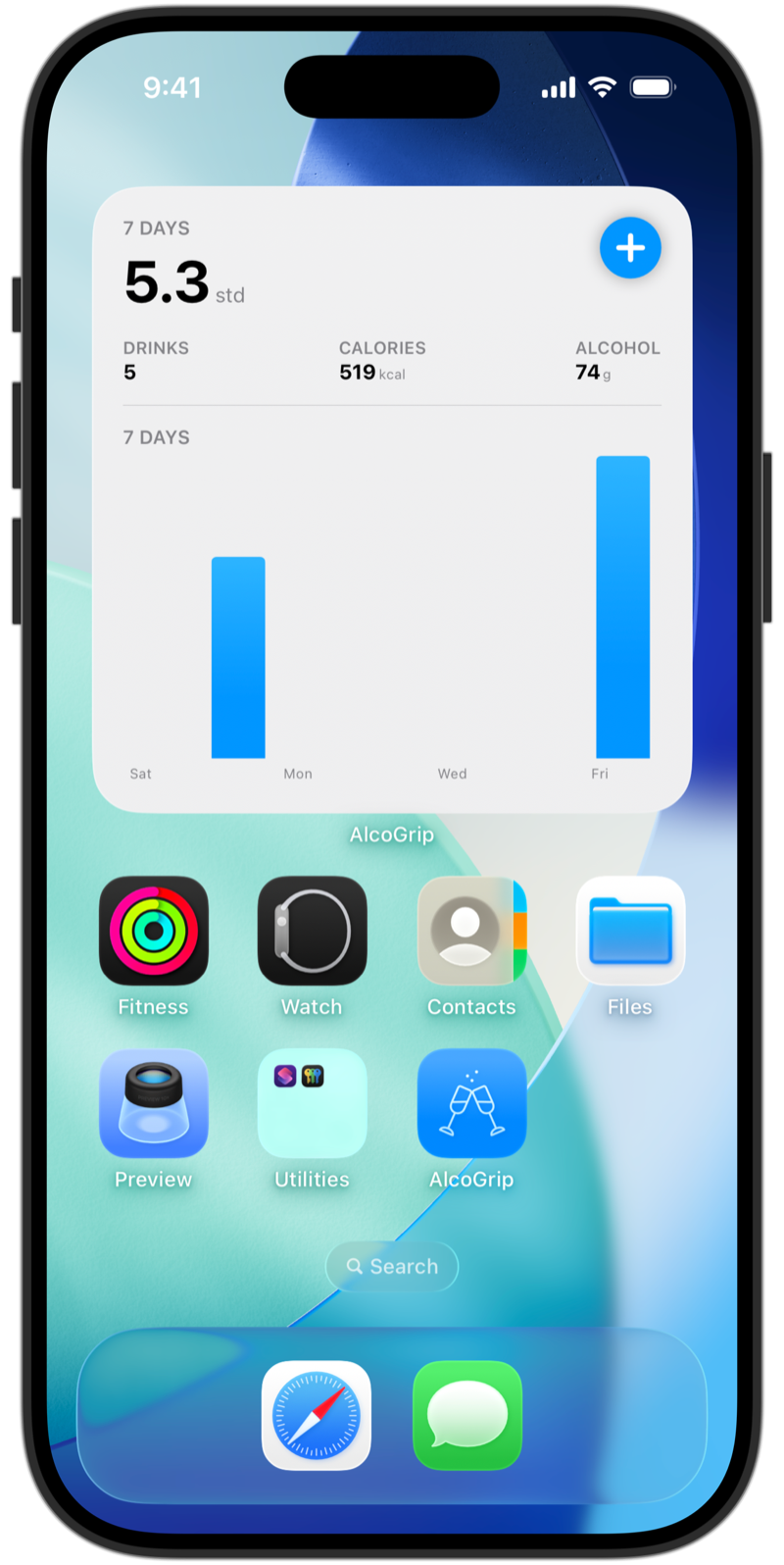
AlcoGrip widget on the iPhone home screen, showing the last 7 days: 5.3 standard drinks, 5 drinks, 519 kcal and 74 g of alcohol, with a bar chart
AlcoGrip on iPad, showing statistics for the past 30 days
Also on iPad

Home-screen widgets

Small, medium and large widgets for your iPhone home screen, which also work in a Smart Stack. Show your current session, the last 7 or 30 days, or the year to date.

Apple Watch

Log a drink from your wrist with the Apple Watch app, plus complications in circular, rectangular and corner styles.

Requires watchOS 10 or later.

iPad

The same overview, statistics and history on a bigger screen.

Requires iPadOS 18 or later.

iCloud sync

Your logs sync across your devices through your own iCloud account.

Siri Shortcuts

AlcoGrip supports Siri Shortcuts.

Apple Health

Optionally write your drinks to Apple Health, as one entry per drink or as standard drinks. Delete a drink in AlcoGrip and its Health entry is removed too.

Works with Apple Health
Privacy

Your logs stay yours.

  • No account, no server. Your logs stay on your device.

  • Optional iCloud sync through your own iCloud account, which we can't access.

  • Optional Apple Health sync, only with your permission.

  • Anonymous analytics through TelemetryDeck, which can't be traced back to you.

Read the privacy policy

Get AlcoGrip

No subscription, no in-app purchases, no account. Once you've got the app, it's yours forever.

Download on the App Store (opens in a new tab)

Requires iOS or iPadOS 18 or later. Apple Watch app requires watchOS 10 or later. Label scanning requires iOS 26 and Apple Intelligence.

Rated 17+. AlcoGrip is meant for people of legal drinking age.